Animating Fields
← All Butter documentationGenerally, in creative code sketches, all animation is done with code. If you have editable fields, they just represent static values in the sketch.
In Butter, certain kinds of fields, such as sliders and color pickers, can be animated outside of your sketch code.
A small diamond will appear next to these fields which you can click to start animating them:
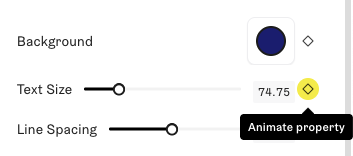
This will create a new track for the component on the timeline. With this, you can add keyframes to change the values of the field over time.

You can click and drag the handles on the timeline track to move keyframes around or change the durations of the transitions between states. Clicking on a transition between states (the arrow) also opens up some settings for changing the easing:
For some values, rather than transitioning between specific values at specific times, you may want it to be constantly varying over time. Clicking the stopwatch icon next to an animated field opens up a menu with different kinds of animation, including the oscillator type.
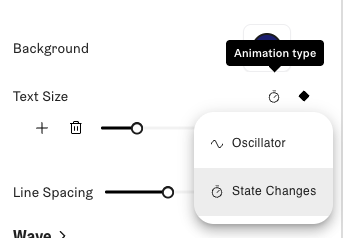
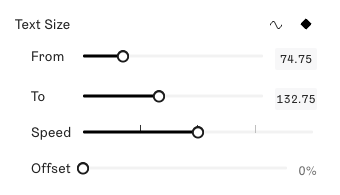
An oscillator lets you pick two values for it to cycle between.