canvasPadding
← All Butter documentationParameters
canvasPadding(width: number, height: number)
canvasPadding(): { width: number; height: number }widthThe horizontal distance you can draw outside the canvas on the left or the right.
heightThe vertical distance you can draw outside the canvas on the top or the bottom.
Outside of Butter, p5.js sketches can't draw outside their canvas bounds, and you need to create a canvas large enough to fit everything you will draw.
Within Butter, this can lead to awkward bounding boxes. Consider this component, which fits an image into the bounds of the component, and adds a drop shadow. Either the drop shadow gets cut off, or the bounding box has to be sized for the image and its drop shadow rather than just the image.
let img
function preload() {
  img = loadImage('myImage.jpg')
}
function setup() {
  createCanvas(300, 300)
}
function draw() {
  clear()

  // Drop shadow
  push()
  tint(0, 100)
  translate(width * 0.2, height * 0.2)
  image(
    img, 0, 0, width, height,
    0, 0, img.width, img.height,
    COVER,
  )
  pop()

  // Real image
  image(
    img, 0, 0, width, height,
    0, 0, img.width, img.height,
    COVER,
  )
}
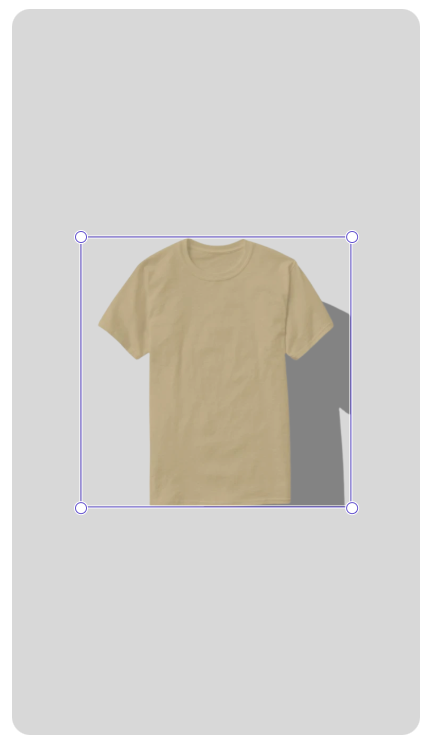
With canvasPadding, Butter lets you draw outside the canvas, up to the width and height you provide on either side:
 function setup() {
   createCanvas(300, 300)
+  canvasPadding(width * 0.2, height * 0.2)
 }
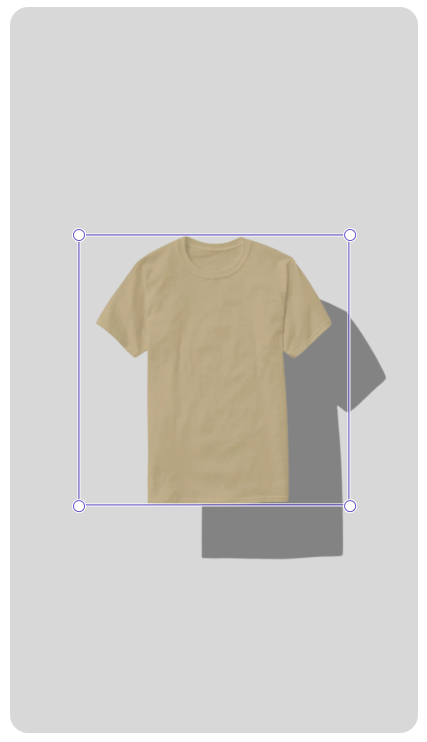
When you access width and height, these will refer to the width and height of the bounding box, not of the entire drawable area. For that, you can call canvasPadding() with no parameters to retrieve the current padding:
const padding = canvasPadding()

// Add 2x padding, accounting for padding on both sides
const totalWidth = width + 2 * padding.width
const totalWidth = height + 2 * padding.height