loadImages
← All Butter documentationParameters
loadImages(urls: Array<string>, max: number, onLoaded?: (images: Array<p5.Image>) => any): Array<p5.Image>
urlsAn array of URLs to load. The array may be empty, and Butter will provide values from the user.
maxThe maximum number of images the user can select.
onLoadedAn optional callback that will be triggered when the images are loaded.
In p5.js, you can call loadImage(url) in preload to load a single p5.Image object that you can draw to the canvas. In Butter, the URL parameter is ignored. A media field is added in the sidebar for the component so that users can change the image that gets loaded.
You might sometimes want to load a variable number of images. Rather than calling loadImage many times, Butter provides a loadImages function that lets users select up to a specified maximum number of images. It takes in an array of URLs, which get replaced with URLs that the user picks, and the maximum number of images the user can select. Call the method in preload. In setup and draw, the array it returns will include multiple p5.Image objects that you can use.
let imgs
function preload() {
  imgs = loadImages([], 4)
}
function setup() {
  createCanvas(300, 300)
}
function draw() {
  clear()
  imgs.forEach((img, i) => {
    image(
      img,
      map(i, 0, imgs.length-1, 0, width * 0.2), // x
      height * 0.1, // y
      width * 0.8, // width
      height * 0.8, // height
      0, 0, img.width, img.height, // source
      CONTAIN
    )
  })
}
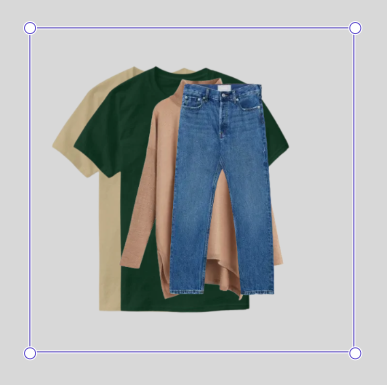
Butter will make sure that the array returned by loadImages is never empty. If the user has not selected anything yet, the array will contain a single empty p5.Image. Otherwise, it will contain all the images the user selected.